Lifecycle and config
Attach external catalogs, rotate secrets, back up and restore configuration, and decommission cleanly. Each playbook below follows the same structure: goal, prerequisites, step-by-step UI flow with screenshots, the equivalent qod CLI command, and how to verify success.
Attach an external catalog
Goal: Register an external data source (Postgres, S3, Iceberg, or anything a DuckDB extension can ATTACH) as a federated catalog on a tenant database. Clients can then query remote data through the same FlightSQL session and ACL model as native DuckLake tables.
Prerequisites:
- The tenant and database already exist. See Tenants and databases.
- The target external system is reachable from the Quack nodes at startup time.
qod loginhas stored a session (CI scripts can useQOD_API_KEYinstead). The manager runs athttp://localhost:20900(the default dev address; adjust the host and port for other environments).
Steps (UI):
-
Go to Tenants and select the target tenant.
-
Open the Databases tab and find the target database.
-
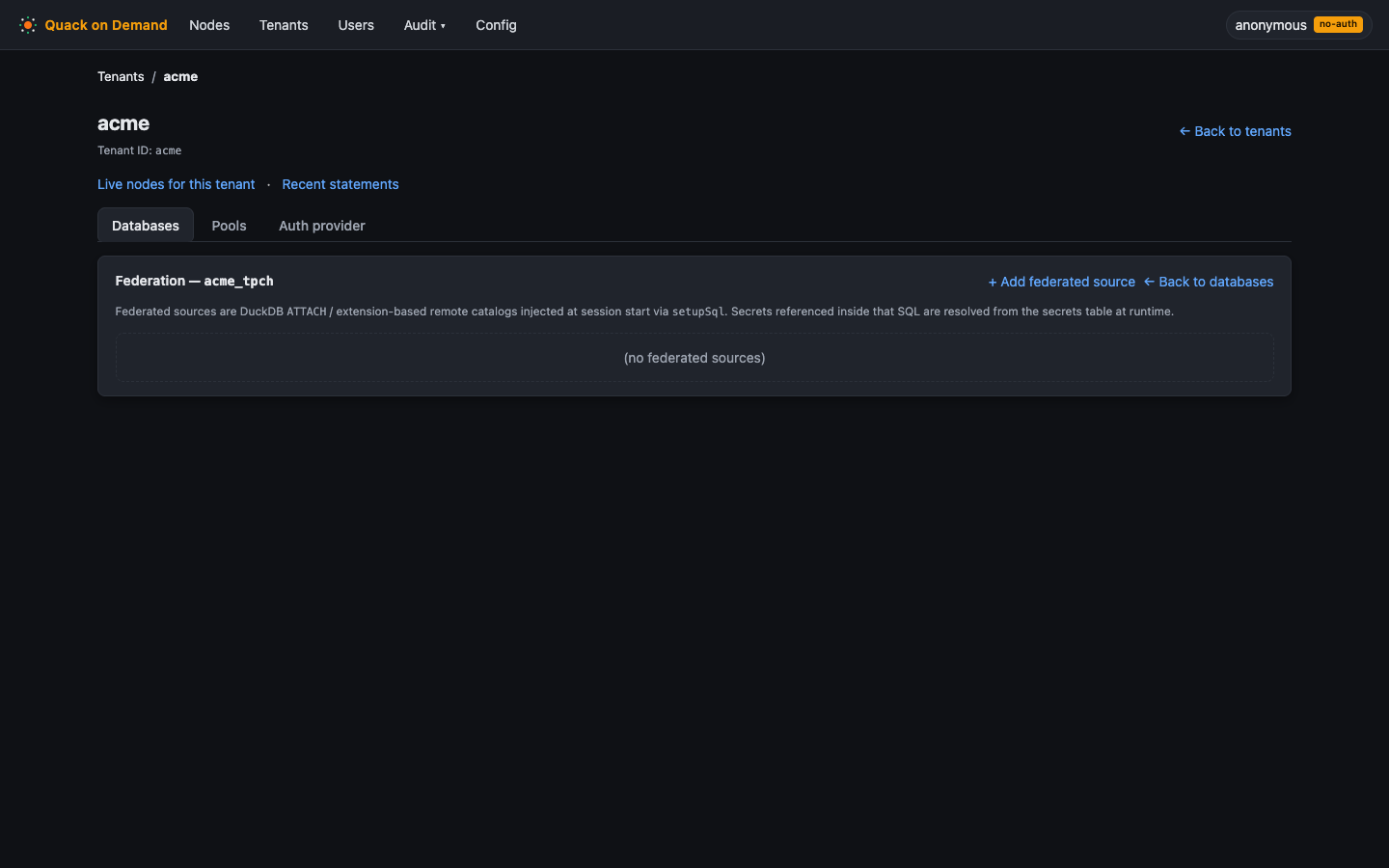
Click Federation to open the federated-source panel.
-
Click Add source. Enter the alias (e.g.
fedpg), an optional description, and thesetupSql. Use{{alias}}in theATTACHclause as the catalog name, and{{secret.NAME}}wherever a credential value should appear. The manager substitutes both placeholders before the SQL reaches a node. -
Click Add secret and enter the secret name (e.g.
PG_PWD) and its inline value (or anexternalReffor an externally-managed secret). -
Save. The source takes effect the next time a node starts in this pool.
Manifest (YAML)
tenants:
  - name: acme
    tenantDbs:
      - name: acme_fed
        federatedSources:
          - alias: fedpg
            description: Prod warehouse Postgres
            setupSql: |
              INSTALL postgres; LOAD postgres;
              CREATE OR REPLACE SECRET fedpg_sec (TYPE POSTGRES, HOST 'pg.prod', PORT 5432, DATABASE 'warehouse', USER 'svc_qod', PASSWORD '{{secret.PG_PWD}}');
              ATTACH '' AS {{alias}} (TYPE POSTGRES, SECRET fedpg_sec, READ_ONLY);
            secrets:
              - { name: PG_PWD, value: hunter2 }
CLI equivalent:
# Register the federated source
qod federation create acme acme_fed --alias fedpg --description "Prod warehouse Postgres" \
  --setup-sql "INSTALL postgres; LOAD postgres; CREATE OR REPLACE SECRET fedpg_sec (TYPE POSTGRES, HOST 'pg.prod', PORT 5432, DATABASE 'warehouse', USER 'svc_qod', PASSWORD '{{secret.PG_PWD}}'); ATTACH '' AS {{alias}} (TYPE POSTGRES, SECRET fedpg_sec, READ_ONLY);"

# Add the secret referenced by {{secret.PG_PWD}}
qod federation secret set acme acme_fed fedpg --name PG_PWD --value hunter2
Placeholders in setupSql:
{{alias}}is replaced with the source'saliasfield.{{secret.NAME}}is replaced with the resolved value of the secret namedNAME.
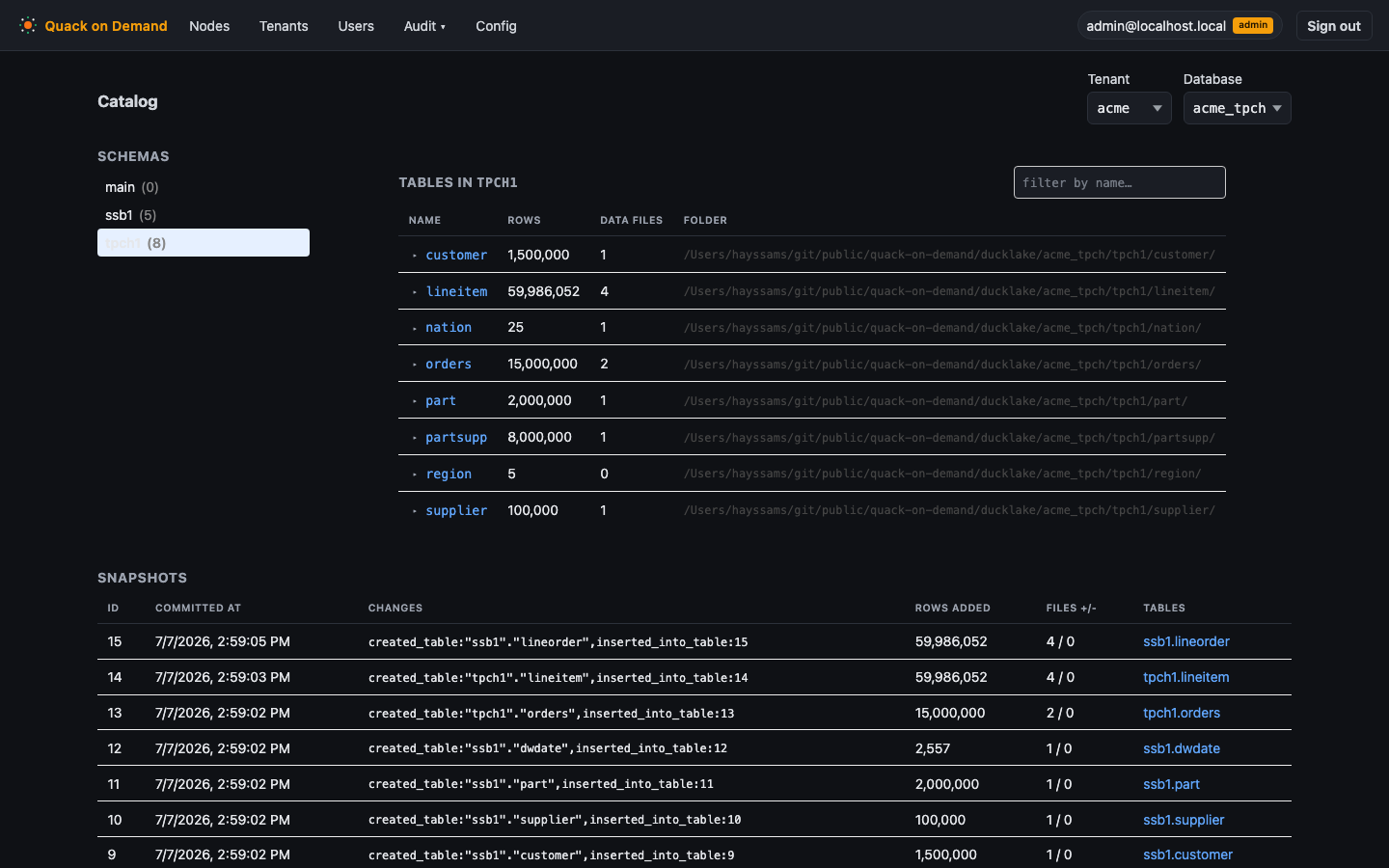
Verify: Run a query that references the alias (e.g. SELECT * FROM fedpg.public.orders LIMIT 5). Open the catalog browser to confirm the alias and its schemas appear.
Related: Federation, Catalogs.
Rotate a federated secret
Goal: Replace a stored credential (e.g. a rotated database password) without touching the setupSql, then apply the new value to running nodes.
Prerequisites:
- The federated source exists and has at least one value-backed secret.
- You understand the lifecycle rule: secret changes take effect on the next node spawn only. Already-running nodes keep the credential they received at startup until they exit. Recycle the pool to apply the change immediately.
Steps (UI):
- Go to Tenants -> Databases -> Federation for the relevant database.
- Find the federated source and open its secret list.
- Click the secret row and enter the new value. The
PUTis an upsert; only the value field changes, not thesetupSql. - Go to the Pools tab and select the pool that uses this database.
- Click Drain to stop accepting new queries, then wait for in-flight statements to complete. Click Scale to bring nodes back up (or use Force if immediate replacement is acceptable). New nodes start with the updated secret value injected into their
setupSql.
Manifest (YAML)
Re-import the full source with every secret you want to keep: omitted secrets under a listed source are pruned.
tenants:
  - name: acme
    tenantDbs:
      - name: acme_fed
        federatedSources:
          - alias: fedpg
            setupSql: |
              INSTALL postgres; LOAD postgres;
              CREATE OR REPLACE SECRET fedpg_sec (TYPE POSTGRES, HOST 'pg.prod', PORT 5432, DATABASE 'warehouse', USER 'svc_qod', PASSWORD '{{secret.PG_PWD}}');
              ATTACH '' AS {{alias}} (TYPE POSTGRES, SECRET fedpg_sec, READ_ONLY);
            secrets:
              - { name: PG_PWD, value: <new-value> }
CLI equivalent:
# Re-set the secret with the new value (same command as the initial add; it upserts)
qod federation secret set acme acme_fed fedpg --name PG_PWD --value hunter2
After updating the secret, recycle the pool so new nodes pick up the change. See Federation - lifecycle for the exact spawn-time substitution rules.
Verify: After the pool recycles, run a federated query. It should succeed with the new credential. A failure at startup (unresolved secret or a DuckDB connect error in the supervisor log) means the new value is wrong or the secret name is mismatched.
Related: Federation.
Back up and restore
Goal: Export the entire control-plane configuration to a YAML manifest for backup, version control, or environment cloning, then re-import an edited file.
Note: the Config/Manifest tab and the manifest endpoints are restricted to superusers. A tenant-scoped session receives 403 superuser_required.
Prerequisites:
- Signed in as a superuser (the Config tab in the navigation is only visible to superusers).
Steps (UI):
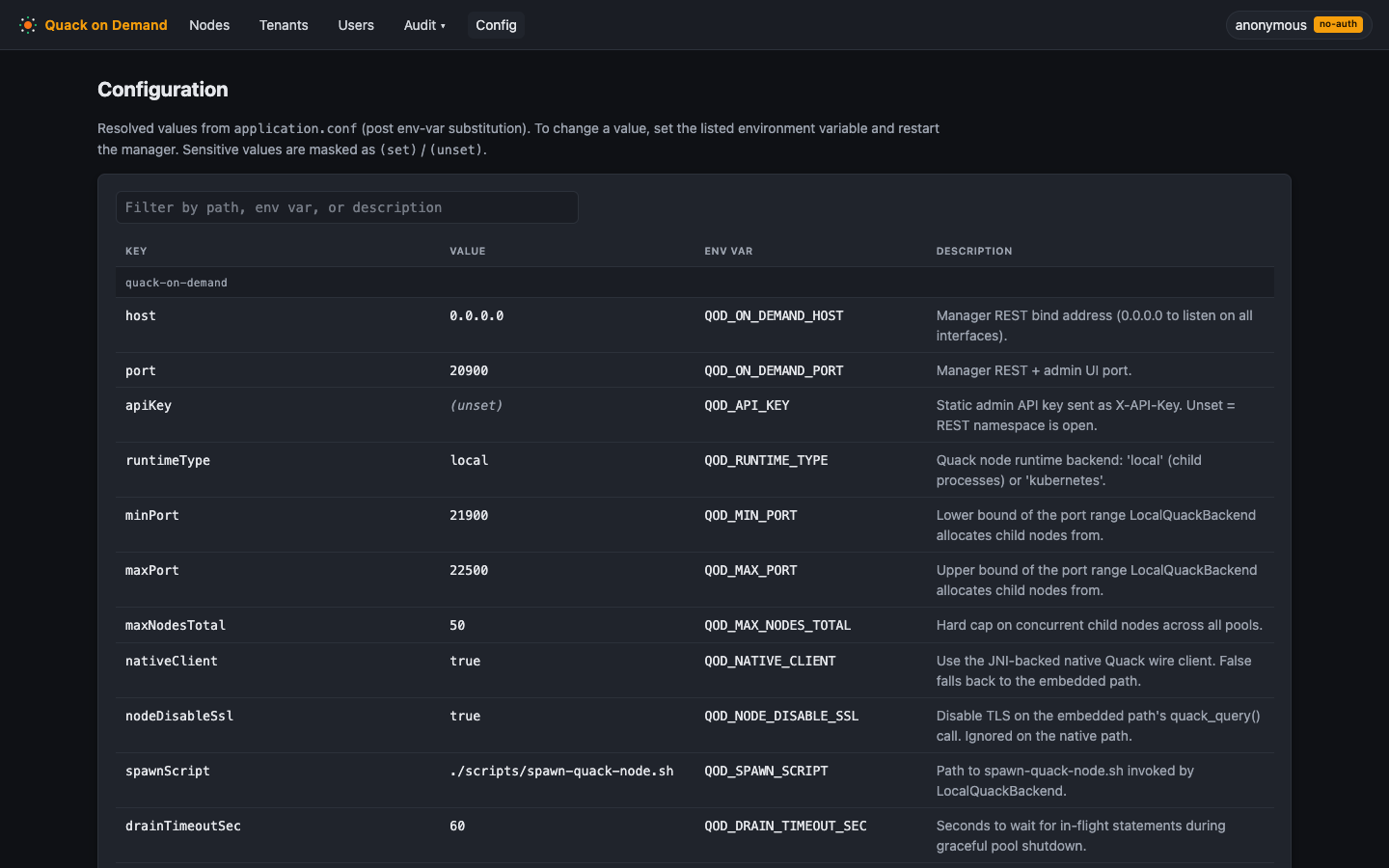
- Click Config in the top navigation bar.
- Select the Manifest section.
- Click Download YAML to export the current configuration. The file contains all tenants, databases, pools, federated sources, roles, groups, and users. Secret values are written as
***REDACTED***; plaintext user passwords are never written, but each user's bcryptpasswordHashis exported verbatim so a restore keeps the same credential. Treat the downloaded file as sensitive and do not commit it to a public repository. - Edit the file as needed. Leave
***REDACTED***in place for secrets you do not intend to change; the importer reuses the existing stored value for those entries. - Click Import and upload the edited YAML.
CLI equivalent:
# Export - superuser only
qod manifest export --out manifest.yaml

# Import after editing
qod manifest import manifest.yaml
The import response is a JSON count: {"tenants":2,"tenantDbs":3,"pools":4,...} (pass --json to see it verbatim). The import validates the whole document before writing anything; on failure it returns 400 and changes nothing.
Verify: After import, check Tenants and Users in the UI to confirm the expected tenants, pools, and users are present. If you cloned to a new environment, run a sample query through the FlightSQL edge to confirm the pools came up correctly.
Related: Manifest backup and restore.
Decommission
Goal: Cleanly remove a pool, a tenant, or individual RBAC objects (users, roles, groups) from the control plane, freeing resources and preventing stale access.
Prerequisites:
- To delete a tenant, all of its pools must already be deleted. Attempting to delete a tenant that still has pools returns an error.
- Deleting a pool with
force: truestops nodes immediately; outstanding queries fail. Use Drain first if you need a graceful stop.
Steps (UI):
- Delete a pool: Go to Tenants, select the tenant, open the Pools tab, select the pool, and click Delete. This stops all nodes and removes the pool from the registry. To stop nodes temporarily without removing the pool, click Drain instead.
- Delete a tenant: Once all pools are removed, go to Tenants, select the tenant, and click Delete.
- Remove a user, role, or group: Go to Users, select the tenant scope at the top, find the object on the appropriate tab, and click Delete.
Manifest (YAML): Declaratively, drop a pool from a tenant that is still in the manifest and re-import; nested collections are replaced, so the omitted pool is pruned. Top-level tenants are upsert-only, so deleting a whole tenant uses the CLI delete below, not omission. See Manage by manifest.
CLI equivalent:
# Delete a pool: stops nodes AND removes the pool from the registry
qod pool delete --tenant acme --db acme_tpch --pool bi --force

# Delete a tenant (must have no pools first)
qod tenant delete acme
Verify: The pool or tenant no longer appears in the Tenants or Nodes lists. A user removed from the RBAC graph can no longer authenticate against the tenant or run queries.
Related: Tenants and databases, Administering access.